Monitor Calibration with the Spyder 3 Pro

Over the past few years as I have gotten into photography more, I have been farily successful at ignoring the fact that my monitor(s) weren’t the best and probably weren’t outputting color correctly.  Every now and then I’d tinker with Adobe Gamma but give up after nearly going cross-eyed (you know what I mean if you’ve used that tool before).  So instead of having a good baseline color profile to edit photos with, I would just keep in mind the color casts or contrast issues my monitor has and try to adjust accordingly.  Photos would end up looking decent on my machine and a little crappy on others’ and in print.  I could live with that.

As I added multiple monitors to my PC, the situation became maddening.  I would get done tweaking an image, only to slide it to another monitor and have it look like crap.  Which one was correct? Or more accurately, which one was closer to correct?! 

So about a month ago I gave in and purchased the Datacolor Spyder 3 Pro, and I must say that I’m very happy with it.

It goes like this – after you install the software and drivers you’re asked to calibrate your monitor(s).  Monitor by monitor, you’re asked questions about the display controls you have available to you (brightness, contrast, etc) and are then instructed to attach the device to the screen at a location indicated by the software.  You can attach it with the built-in suction cup or by slinging the counter-weighted cable over the monitor and dangling it there.  I have only used the suction cup method and not bothered with dangling.

After getting the device positioned, the software cycles through the spectrum to figure out how your monitor is outputting color and what needs to be done to correct it.  When it’s done, the result is a system color profile that gets installed so that any “color managed” applications (fancy term for applications that know how to use color profiles) will display images more accurately.

The Spyder 3 Pro also keeps an app running in the background that uses the hardware device’s ambient light sensor to detect when the light has changed sufficiently that you’d need to recalibrate.  And finally, you can have it notifiy/remind you at sent intervals to reclibrate the monitor – because over time your monitor changes. 

Initial calibrations take 7 minutes per monitor, and those periodic reclibrations take 3.  I don’t have anything to compare this to, but have read that older models took considerably longer.

To date, I haven’t really found any negatives with this thing.  I am glad I purchased it, as it has taken alot of the second-guessing out of photo editing.  If you’re someone that has invested heavily in your camera equipment, computer and editing software, you seriously owe it to yourself to get one.

OK, that’s all.

Busch Stadium

Friday night Ana and I were able to make it to our first Cardinals game of the year.  The weather was fantastic, the food was delicious, and the Cards handily defeated the Royals.  What a great way to spend a Friday night.

I of course took my camera and grabbed a few frames.  This is my first multiple exposure blend, courtesy of Photomatix, and I think it does a good job of capturing the great weather we had.  Click to enlarge.

busch

Kites

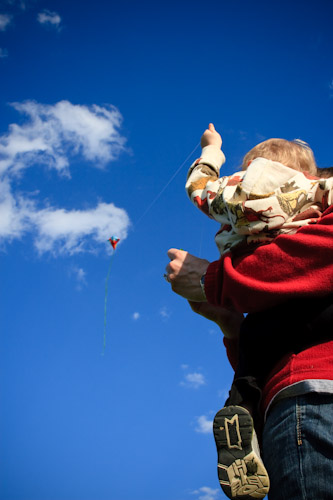
I don’t know what it is, but Ana and I really enjoy flying kites.  Since it was finally warm when Ana and I got off of work, we thought it would be fun to take David to the park and introduce him to a kite the Easter Bunny left for him this year.

img_6172

img_6180

img_6192

Beautiful weather, and a good time.  A few more photos in the gallery.

16 Months Old

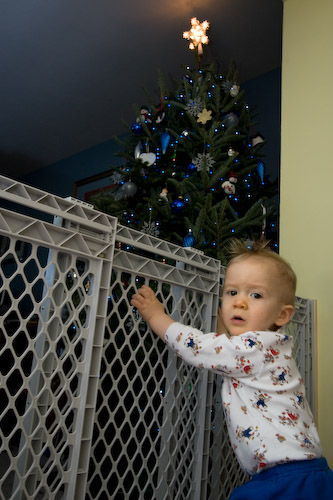
This morning after searching our house for Easter Eggs and before going to church we decided we’d do a quick David photo shoot.  It had been a while since the “monthly photos” ended, and he was all dressed up for Easter.  As luck would have it, today just happens to be his 16 month birthday too.

img_5847


img_5689

Ran into some lighting problems (bulb burned out), so some of them are using a combination of lamp and natural lighting.  Those look a little odd to me.

The rest of the collection are in the gallery (still uploading, should be done soon).

Daily Photo

I’ve been toying with the idea of doing a Daily Photo.  I’ve been wanting to spend some more time behind the camera as well as expand my photographic “eye”, and a Daily Photo surely would do both. 

But can I really commit the energy needed to take 365 disparate photos over the course of a year? 

I don’t know…

It sure is tempting though…

Organizing My Camera Equipment, Completed!

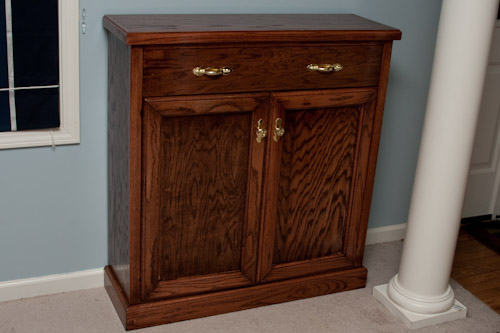
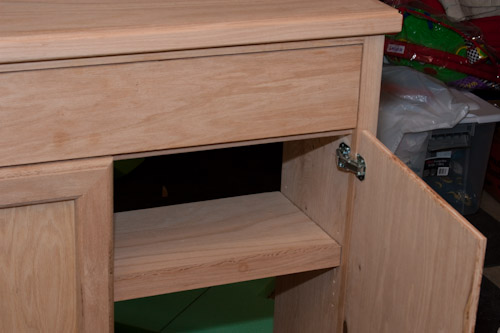
I started this project on the weekend of January 25th, and here on March 6th my camera cabinet sits completed and filled with my gear.  It turned out WAY better than I hoped and expected and I don’t have to hide it in a corner.   I normally wouldn’t have gone for the gold hardware, but we wanted it to match the piano that’s in the same room.

It’s made of Red Oak, stained with 2 coats of Minwax Red Oak oil-based stain, and finished with 2 coats of polyurethane.

img_4837

This photo reminds me that I need to get the magnetic door closers.

img_4825

Here’s the inside – storage for my camera bags on the bottom and lenses on the shelf (all but one lens, which I used to take this).

img_4830

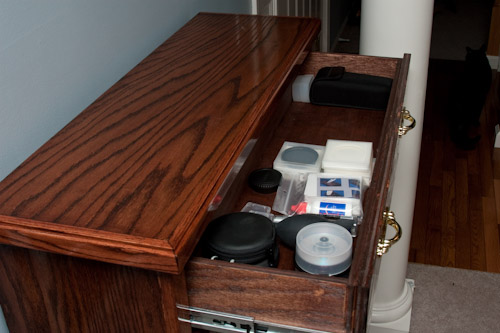
And the drawer is full of the numerous accessories, plus the camera.

img_4832

img_0180

Feels good to finally have it done and to be happy with the results.  Photos from the build here. A big thanks to dad for coming over tonight to help me move it upstairs, it’s a little too big for one person.

8 Hours

8 Hours.  That’s how long the project book said it would take to make the book case I designed my camera cabinet off of.  Ha!  I can’t even count how many hours I’ve put in on this thing now – probably another 6 or so this weekend.  I’m slow.

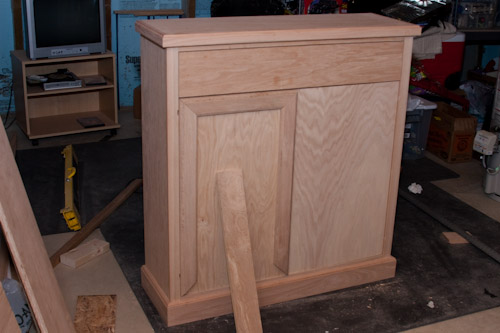
I made quite a bit of progress in the past couple days: top trim; adjustable shelf;  researched, bought hinges; made and hanged(?) the doors; and got almost halfway done making the trim for the doors.  I also picked out a couple sample stains and tried them out on some of the scrap wood.  I think I’ll be going with a couple coats of Minwax Red Oak over the Red Mahogany, but we’ll see.

Here’s where it stands tonight (more photos here)..

img_4677

img_4669

Bits left: finish making and installing door trim; make the back; sand; stain; poly.